
GET STARTED
Your program, in three steps
Got a program link from a coach or creator? Here’s how to get the app, get your program, and start training.
1
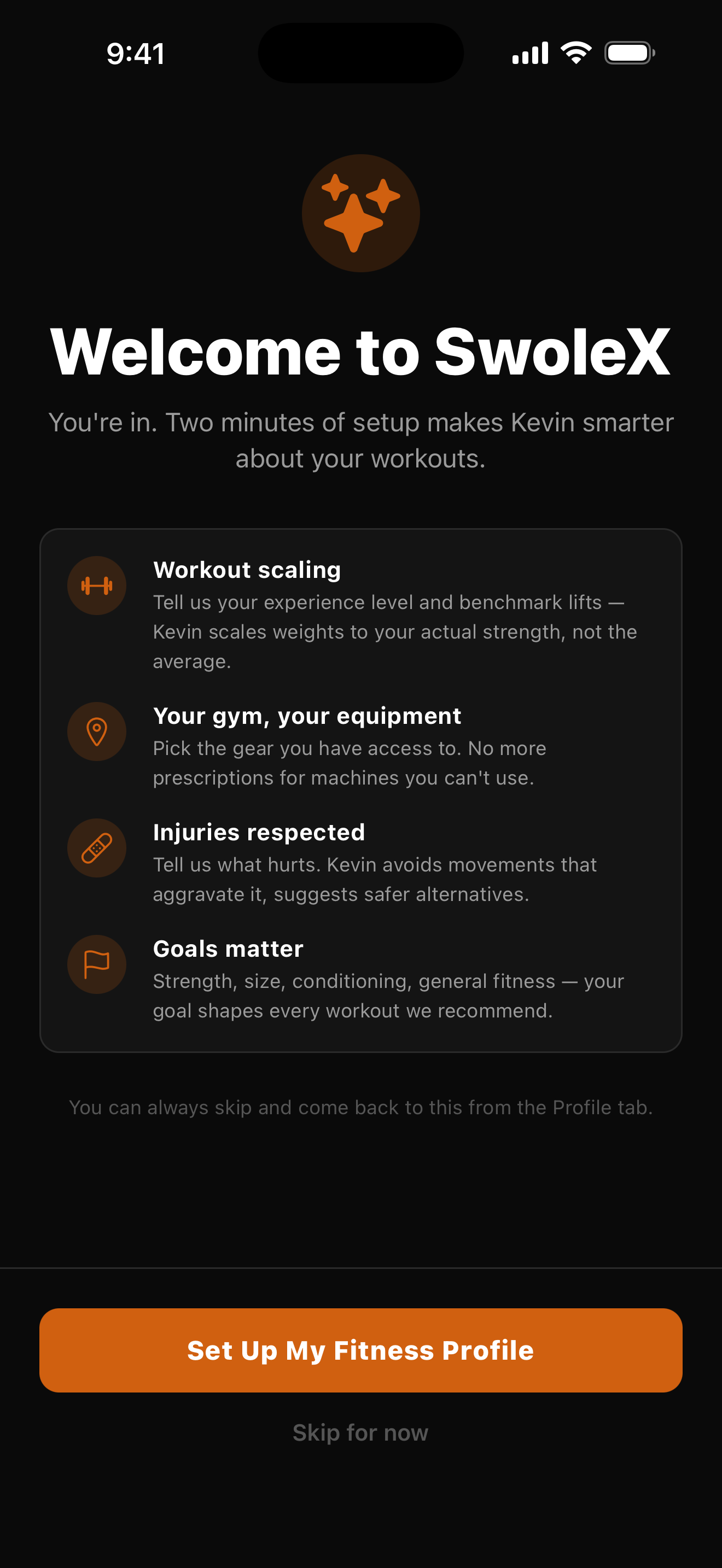
Get the SwoleX app
Download SwoleX free and create your account — that’s what your program attaches to. It’s where you’ll browse, buy, and run everything.
2
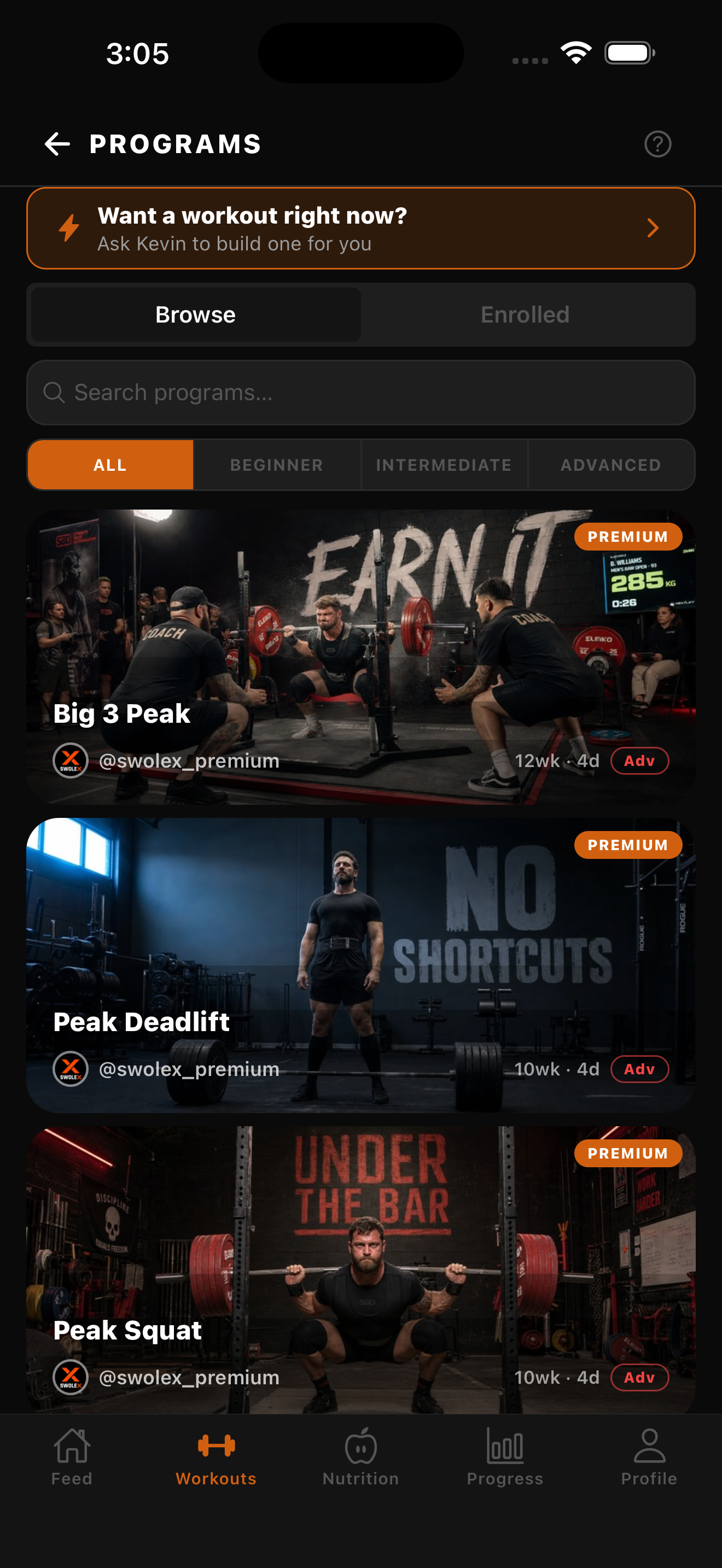
Get your program
Open the program link your coach shared (or browse in-app) and tap Get Program. Signed in with the same account, it lands in your library instantly.
3
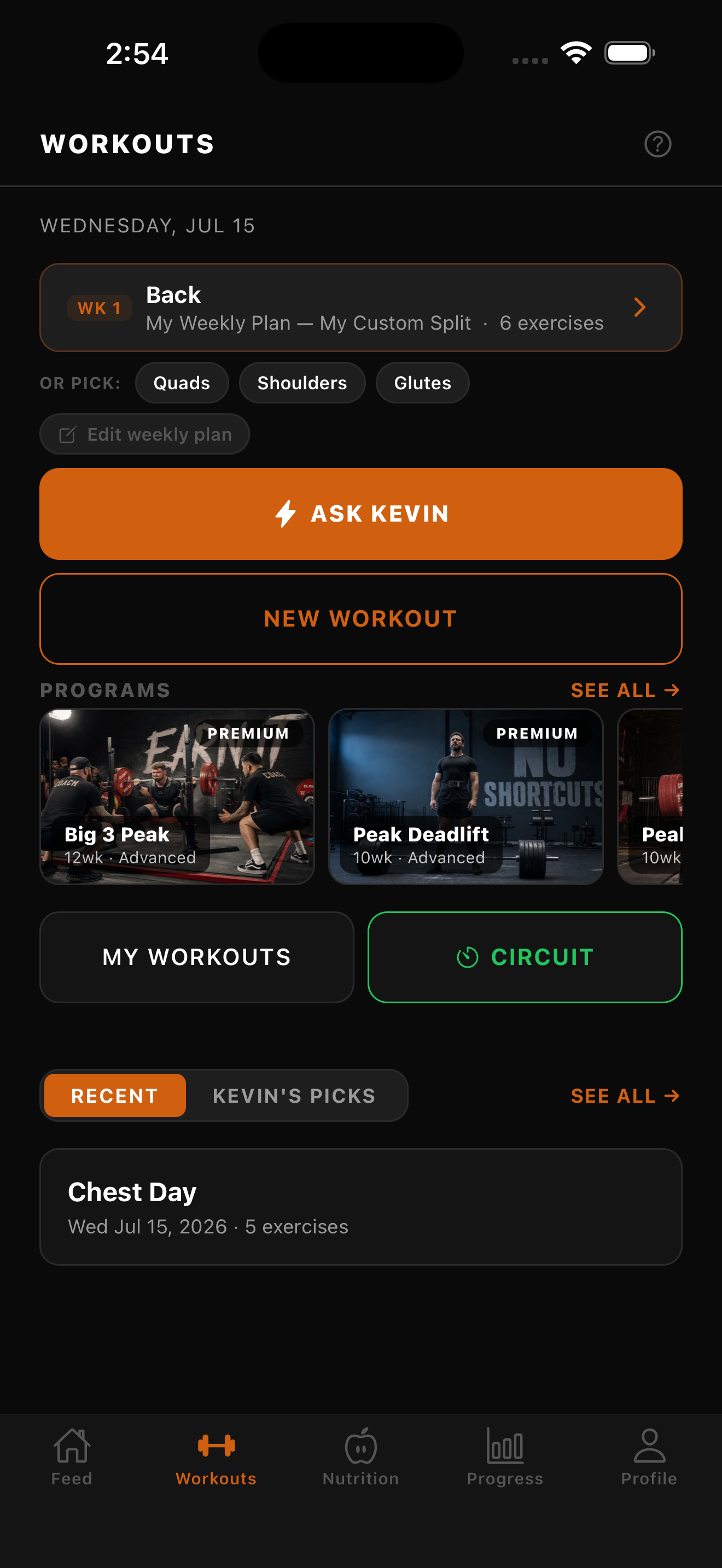
Run your plan
Open the Workouts tab, pick today’s session, and follow it set by set. Log as you go — SwoleX tailors weights to you and tracks every workout automatically.
Don’t have a program yet?